Let there be … battery and power

After getting the Home Assistant-based control system up and running, the next steps for my smart RV were the quick wins—in other words, figuring out what works “right out of the box.” Since the Raspberry Pi has a Bluetooth interface, I configured it in Home Assistant. And just like that, I could “see” the batteries (both of which come with built-in BMS) as well as the Victron solar charge controller. The corresponding sensors were then immediately available after I installed the appropriate apps.

An informative dashboard was then quickly built on that foundation.

In subsequent steps, you can set up automations that, for example, notify you when the charge drops below a certain threshold. I implemented the shore power display using my air conditioning control system; more on that later.

Motorhome Control Online

I recently gave a general overview of my“smart RV”project. Today, I want to outline the first step: how can I securely connect the control system to the internet so that I can check the status (temperatures, gas levels, battery charge levels, etc.) while on the road and control various functions, such as the air conditioning or heating?

My RV is equipped with an Oyster Easynet router. The 12V power supply runs to it through cable channels, and I used these to install a 12V-to-5V USB converter to power my Raspberry Pi 4. The Raspberry Pi runs a standard Home Assistant image that I installed on the SD card using Raspberry Pi Imager. There, you can easily set up the Wi-Fi address and other settings so that the Pi is visible on the vehicle’s own network immediately after booting. The Oyster router assigns an address via DHCP, which conveniently remains stable—there isn’t much you can customize with the Easynet components.

To ensure that the Home Assistant instance is available online, you need to do the following. I have registered my own domain with my hosting provider (Domainfactory). Since I want to use Cloudflare, I need to set up the appropriate DNS servers there.

The next step is to create a free account on Cloudflare and add the domain you registered earlier. The penultimate step is to install and configure the Cloudflare app in Home Assistant. There, you must enter the domain that was also registered with Cloudflare. When you launch the app and everything has been done correctly, a callback link will appear in the log, which is used to establish the tunnel connection between the domain and Home Assistant.

Copy this, paste it into the browser's address bar, and you're done. If everything went well, you'll see that the connection is established when you restart the app.

To make sure everything is secure, I've set up IP blocking in the configuration.yaml file and also enabled 2FA for my login. No one can get in without a code from the Authenticator app.

http:
  cors_allowed_origins:
    - https://google.com
    - https://www.home-assistant.io
  ip_ban_enabled: true
  login_attempts_threshold: 3
  use_x_forwarded_for: true
  trusted_proxies:
    - 172.30.33.0/24

Then all that's left is to create a nice icon on my phone's home screen that takes me straight to my HomeAssiant in the RV. We're on the road. We're online.

Smart RV: Technology for Modern Travel

First off: there’s plenty to be said for why a motorhome should be—or become—“smart.” If you’re reading this, you’re most likely interested in the topic. Possible reasons include: keeping track of energy usage and being able to take action early on, controlling devices like the heating or air conditioning while on the road (so it’s warm or cool when you get back), or simply having a strong interest in technology.

For me, it’s a mix of all of these things, though the last point might be the most important one: my RV is equipped with outdated technology, and that just… doesn’t work. Sure, I could have paid more attention to that, but it’s also true that the whole “smart RV” concept is evolving rapidly.

Here's what the home screen of my mobile Home Assistant looks like now:

Home Assistant is accessible via the internet through Cloudflare and can therefore be controlled using a laptop, smartphone, etc. I’ve integrated quite a few things using various methods and can monitor everything related to power supply and gas consumption, as well as control the air conditioning. I have a few more projects planned, such as connecting the heating system, monitoring water tank levels, further optimizing the visualization, and implementing a few automation features.

My starting points were the blogs by Hannes Schleeh, who has consistently covered this topic on his site. When it comes to Home Assistant topics, I always enjoy checking in with Simon. And last but not least, I use Claude.ai quite extensively for various projects (whether for design, ESP32 or add-on programming, automation, or visualization).

I’ll be writing a post on each of the topics mentioned over time, and I look forward to hearing your thoughts.

Roof-mounted solar array: 64% (instead of 75%) self-sufficiency

It all started in 2022—my solar power system was finally designed by SENEC and then installed by a local provider. The entire project went “live” in 2025; the battery had to be replaced, but everything is finally up and running. Time to take stock.

The paper calculation had shown a self-sufficiency rate of 75%, but the actual figures for last year came out to 64%:

Screenshot

Just a quick note about the setup: our house was built in 2019, features state-of-the-art insulation, and is equipped with a geothermal heat pump. No oil, no gas. Underfloor heating is a great option for this setup—and we have it installed.

I think 64% is okay, but it always breaks my heart to see how much surplus the plant produces and how little we get in return. There are certainly ideas out there (green hydrogen, pumped-storage power plants, compressed air storage, river batteries, etc.). Just take a look for yourself at how this is being done in California, for example, or what’s planned for the future. That shows me: it’s possible. If you want it. And if you think these issues through to the end.

In the meantime, I’m pleased that we’re moving toward 100% self-sufficiency starting in April, that everything is in order, and that the system’s depreciation is progressing as I’d hoped month by month. My next steps are now focused on optimizing the heating system, which I want to integrate more closely with the solar PV system. In theory, that should work…

Screenshot

Public Listening: a train journey that is ... informative.

Today I'm once again traveling a longer distance by train, several hours towards the capital. I'm always amazed at how open some people are about conversations, phone calls and their laptops. Having recently read the book "The Abolition of Death", which explains the concept of public listening, I paid particular attention to it this time. A public listener is someone who simply listens in order to gather sensitive information. In the book, this was done deliberately, but for me it happens accidentally (and involuntarily). I usually actively listen away or use headphones with noise cancellation, but today I was curious.

What can you collect in one go?

  • What are your fellow travelers working on? Are they shopping (what, where, how much)? Are they just watching a movie? Or are they working on a report (the logo on the report makes it easy to see where they are working) that you can easily read?
  • How do you get into the laptop? Fingerprints are difficult, but very bad passwords are still often used. Ditto the simple access codes on cell phones (1234) or the Z or L if you can use the line guidance.
  • While this still requires a certain amount of personal effort, phone calls and conversations are "for everyone". Sometimes I can't believe how openly people talk about highly sensitive projects, customers, etc. here (I'll leave the disclosure of privacy out of the equation).

My conclusion: when I travel in public, I always use a privacy screen, both for my cell phone and my laptop. I generally don't make phone calls at all and if I do, I let the other person know that I can't talk freely and that we should leave it until later or use a chat application. If it's a business trip, talking business with colleagues is simply taboo for me. It's all really simple, but few people take it seriously.

When it comes to noise-canceling, I use Bose Quitcomfort Overear products (which provide a certain amount of isolation due to their design) or Apple AirPods.

The energy transition at home - from the idea to operation. Experience with SENEC, Home 4 Storage, Home Assistant, and much more.

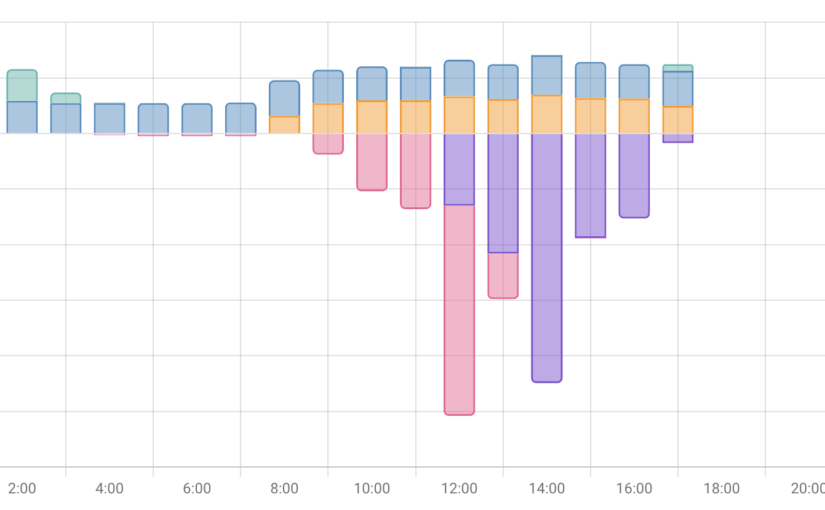
I'll start the description of my adventure into independence from oil and gas at the end. The PV modules are on the roof, the battery storage system is installed, everything is integrated into Home Assistant. And I'm delighted every day to see how cool it is to cover a very large part of my energy needs from the sun (the picture in the article shows the time curve with energy generation and consumption). The integration into Home Assistant was actually the easiest, but more on that later.

I already set out on this path when we were planning our new home in 2018. It was already clear to me at the time that I no longer wanted to be dependent on oil and gas in the foreseeable future. That's why we planned a geothermal heat pump (with appropriate subsidies). The drilling, house connection, heat generation (underfloor heating), hot water, etc. also went very smoothly. Just a quick note here: the heating circuit valves are KNX-capable and can therefore also be controlled via Home Assistant.

All those years I found the charm of PV systems ... rather suboptimal, but that has changed with the new regulations. The subsidy is right, availability has halfway normalized again after Corona, so I requested a consultation with SENEC at the end of 2022 after looking at various providers. Why SENEC? My thought was: they belong to EnBW and will certainly still be around tomorrow and should know how to do something like this. And the "SENEC Cloud", i.e. accessing energy from an account that you can call up again via your own feed-in, also makes an electric car interesting for me for the first time.

Fast Forward: everything has been running since February 12, 2024. Electricity is produced by the sun, the battery is charged and supplies electricity to the house again after sunset. But not at all as it should be. SENEC is currently throttling all storage systems to 70%, which is quite annoying. This is probably because the battery modules currently installed are not safe. And should therefore be replaced. The question is: when?

I will gradually be writing more articles about the various phases of this project and, as always, I look forward to the exchange. Let the sun shine!

Why Asathor?

Sometimes, people ask me, what Asathor means for me. It's very simple - I'm a big comic fan (both DC and Marvel) and I liked the Thor character since I was a kid. Thor, the god of thunder, is also called Asathor. In the mythological Edda writings he was the protector of Midgard, the world of mankind against the giants from Jötunheim. A nice analogy to protecting mankind against cybercrime these days.

New Year's resolutions

An article with good intentions - end of March?` Well, I've been pretty lax about writing articles here. It's not that I haven't been doing anything - on the contrary: there's a lot going on in all the areas I'm dabbling in here. But: I lost track of blogging a bit, especially because I had no concept what I write where (I've changed that now - all details here, abstracts e.g. on LinkedIn). I want to change that now, just in time for the end of the first quarter.

In my annual review, I found that many things are going well and others need more focus. Here's my sharpened list, first on the business topics I write about here:

  • Successful Business (Coaching): as a former owner and CEO in the cybersecurity environment, my goal is to share my experience, help avoid mistakes and support decision makers in small companies (50-300 people) on their way. In the last 1-2 years it has become very clear to me what is important to me: mutual respect, communication at eye level and a good team. This sounds simple, but it is by no means always the case (then we don't fit together). I've also found that I prefer working with software vendors - because that's what I do best and where I can contribute the most.
  • Successful Business (Consulting): another level is the professional experience that I can contribute as a long-time (SAP) cybersecurity expert. I stopped diving into the depths of bits and bytes a long time ago and instead focused on helping IT decision-makers make good decisions. Why does what need to be done? Who can help? What can happen if nothing is done? Etc. Once the "WHY" question has been answered, the next steps are much easier to determine.
  • Successful Business (Investment): the third and last dimension in business for me is to invest in ideas. Not with huge sums of money (which I don't have), but helping an idea to the next level with small injections of money. Here, contact with the entrepreneur behind it is important to me. Is it really an entrepreneur? Is he on fire for his idea? If so, let's talk.

I will write about the other main topics of my blog, health and having fun, in the coming weeks.

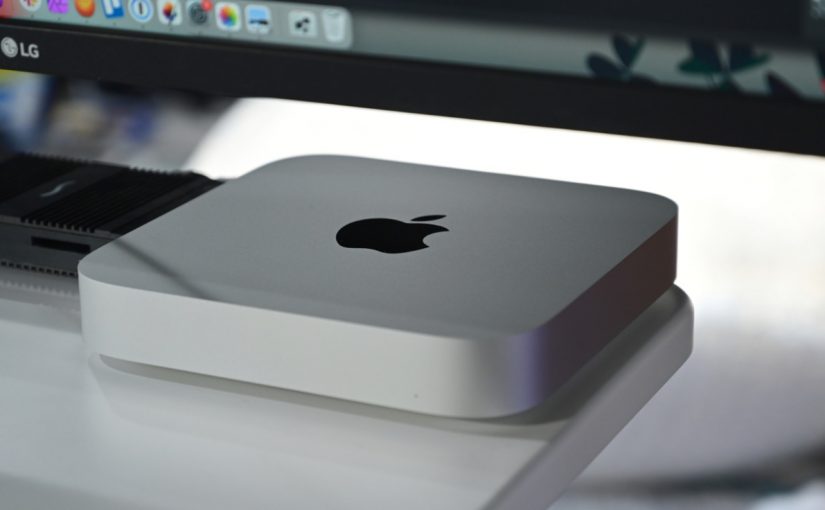
My new rocket: Mac Mini 2014

As I have written before, I don't really care which computer I use. I can be an Apple, a Windows machine, or something else. I have an old Mac Mini from 2014 that I use for managing my music library, for some playback, and minor audio editing stuff. Lately, I was more and more frustrated, because the machine seemed to get slower and slower. I took ages until it started and was usable. Also, there was a lot of dead time when the machine seemed to be idling.

So I started to do some research whether I can fix or whether I need something new. The hardware is still good for a Mac Mini: 2.6 Ghz, 16G of RAM, and 1TB hard disc. How to unleash this power again on an 8 year old computer?

I found this step-by-step guide that contains many useful links like cleaning up autostart items, removing slowing down settings with the free tool KnockKnock, cleaning up the hard disc, etc. I found that I have already applied some of these tips but some not. I went through the entire exercise but the results were not that promising. Startup time was better, but responsiveness not.

During my research I have also found some commercial tools helping you to clean and speed up your Mac. You can find a comprehensive description of "CleanMyMac X" here. The software is very powerful and goes much deeper than anything you can do yourself. Besides an initial "get clean" scan, it can be used to "stay clean" and stay happy. My Mac Mini feels like a new machine and the tradeoff is great: 50 EUR for a perpetual license (break even of subscription in 2 years) vs. re-installing the OS and the apps vs. buying something new.

ADDENDUM: after a few days working with the Mini, I still can't believe it. It feels like a new machine and is all fun again. Thanks to the IT god for the healing.

I did it: Upgrade to Windows 11

I am quite dispassionate about operating systems and hardware. I use macOS, iOS, Linux and Windows. Windows has actually been around the longest - since release 2.1 in 1988.

Today, it's important to me that it shouldn't matter which computer I'm sitting at. The data is in my own or a public cloud and the typical office software is also available everywhere. Only a few specific programmes (e.g. for sound, image or video editing) run only on certain machines.

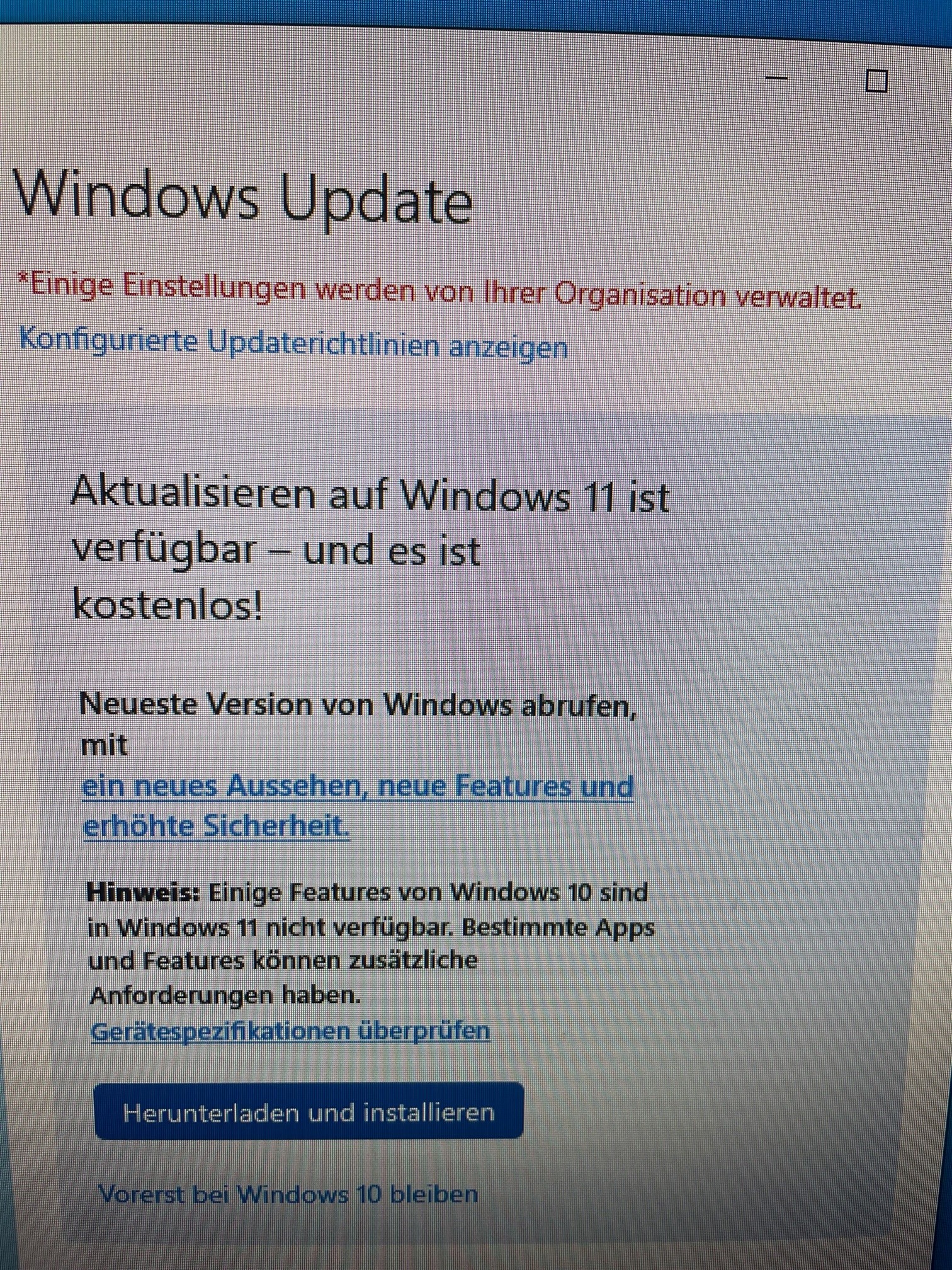
And yesterday, the time had come for my Windows computer (an Intel NUC): the upgrade to Windows 11 was available.

This is always a special moment, as there is a not unjustified concern that things will somehow go wrong. Catchphrase: "never change a running system!". But hey, nothing ventured! The data is not on the machine anyway, system reset point created and off you go ...

... and an hour later I could log in again. That feels like a small IT miracle. Now it's time to get familiar with the new features. Here's to your upgrade going as smoothly.